No, you shouldn’t attach anything to your drone, as the dji mini 4k can’t carry anything safely. The aircraft is designed to stay under 250 grams to meet specific aviation regulations, and adding weight will exceed this limit and damage the motors. You should check the official DJI Mini 4K product specifications to see the weight constraints for yourself before attempting any modifications.
When carrying weight is safe or risky
The following table helps you determine if your specific situation allows for extra weight. Always verify your local drone laws, as they often change based on the total takeoff weight of your device.
| Your situation | Answer | Why |
|---|---|---|
| Carrying a small camera | No | Motors will overheat quickly |
| Attaching a light | No | It drains battery life fast |
| Adding a payload drop | No | It ruins flight stability |
| Flying in high wind | No | Extra drag causes crashes |
| Using a lens filter | Yes | These are built for drones |
| Adding a third-party prop | No | It voids the manufacturer warranty |
You can test this by hovering at eye level for sixty seconds. If the drone drifts or the motors emit a high-pitched whine, land immediately.
Most pilots mistake “lift capacity” for “flight capability.” A drone might lift a heavy package, but the resulting battery voltage sag often triggers an emergency landing mid-flight. If the payload is non-essential, leave it behind to preserve your flight time.
Why weight limits matter for flight
The drone uses high-speed brushless motors tuned to move a very specific amount of mass. When you add external items, you change the center of gravity and force the flight controller to work harder to maintain a hover. This extra effort creates heat in the electronic speed controllers and the motors themselves. If the internal sensors detect too much resistance, the system may trigger an emergency landing to prevent a fire or total motor failure.
Furthermore, the battery is calibrated to provide a specific flight time based on the weight of the stock hardware. Adding even 10 or 20 grams of weight can reduce your flight time by several minutes, increasing the risk of the drone running out of power far from your takeoff point. If the weight isn’t perfectly balanced, the drone will also drift in flight, making it nearly impossible to capture smooth video.
If the total weight is under 249 grams, then the drone flies as intended; if the weight exceeds this limit, then you must register the drone with aviation authorities and risk motor burnout.
Options for DJI Mini payload carrying
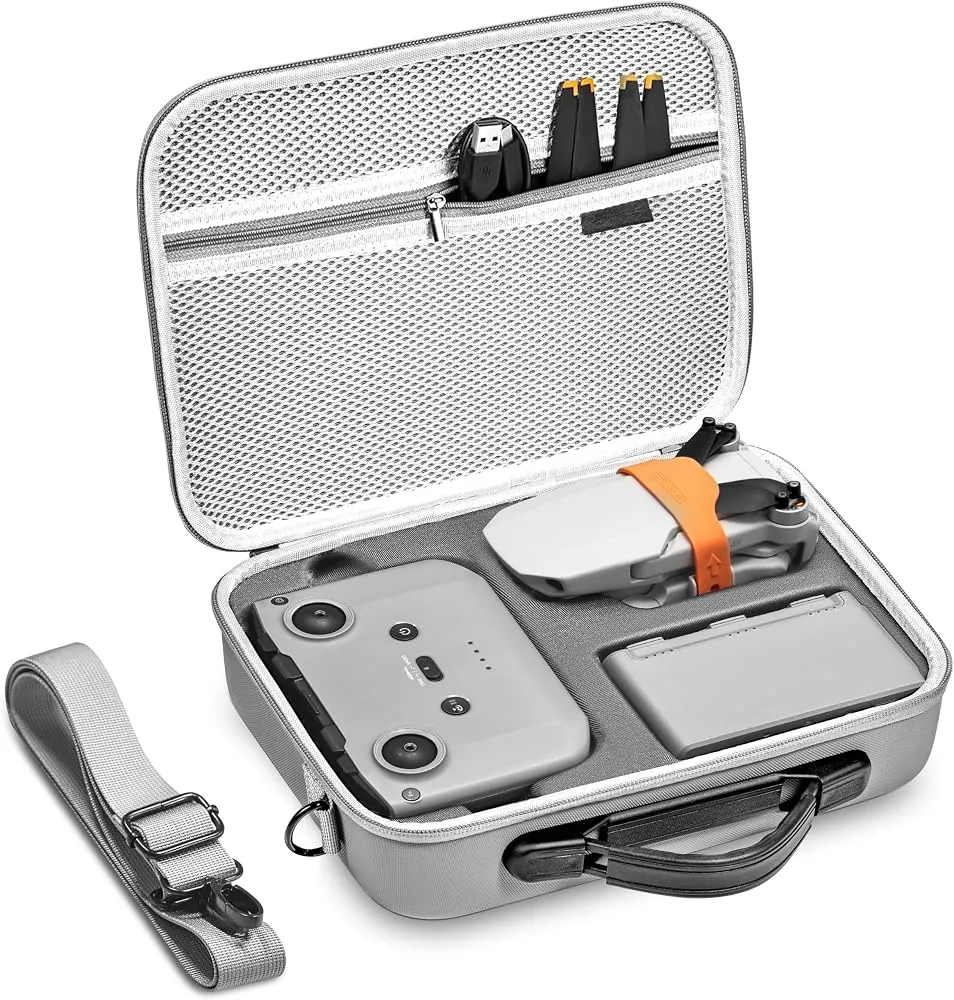
Since you can’t attach items to this drone, you should use these alternatives to achieve your goals. Each option keeps your drone safe and ensures you stay within the legal requirements for your local area.
If you require heavy-lift capability, move to a platform with a dedicated payload bay. Industrial models like the Matrice series handle up to 2.7 kilograms, whereas consumer drones often suffer motor burnout if you add even 50 grams of external weight.
For creative angles, skip external mounts. Instead, use a handheld gimbal or a suction-cup mount on a vehicle to capture low-altitude perspectives. Trying to tape a secondary camera to the drone frame creates parasitic drag that forces the flight controller to overwork, leading to sudden, erratic altitude drops.
Stick to magnetic filters that weigh less than 3 grams. Anything heavier disrupts the gimbal’s self-calibration process during startup, causing the camera to twitch or fail to level. If the gimbal vibrates during flight, the footage will be unusable regardless of the filter quality.
Finally, leverage software-based flight paths. Use waypoint navigation to achieve cinematic pans that manual piloting can’t replicate. If you find yourself needing extra sensors, you have outgrown this airframe.
The common mistake with weight
Many pilots think that because a drone can clear the ground with a small object attached, it’s safe to fly that way. This is a dangerous mistake because the stress on the motors isn’t linear. Carrying a payload during a short takeoff is fundamentally different from maintaining a hover or fighting sudden wind gusts during a 15-minute flight.
When your motors draw excess current to compensate for extra weight, they heat up rapidly. If the temperature exceeds the thermal limit of the internal windings, the motor will seize or lose torque entirely. This error often results in a permanent loss of the drone when the motors fail mid-air.
Always check the weight of every accessory against the maximum takeoff weight listed in your manual.
When to seek professional help
When your drone shows signs of failure, stop flying immediately and contact a professional. Don’t attempt to repair motor or battery issues yourself, as amateur interventions often void your warranty and cause irreversible damage to sensitive internal circuitry.
Motor noise is a clear warning sign. If the motors emit a grinding or metallic screeching sound, the internal bearings are likely compromised. Continuing to fly will cause the motor to seize mid-air, leading to a total loss of the aircraft.
If the battery casing appears puffy or rounded, it’s a significant fire hazard. Don’t charge or store this unit indoors; treat it as a chemical risk and dispose of it at a certified battery recycling center.
If the drone fails to hold a steady hover despite a full calibration, the internal IMU or GPS sensors are likely failing. Persistent error codes in your flight app confirm a hardware fault that requires official diagnostic tools.
Related guides
- Can Dji Drones Carry Things: Unveiling Their True Payload Power
- 10 Best Pocket Drone for Kids: Top Mini Drones with 3D Flips and Safety Features
- Best Mini Drone for Indoor Flying: Our Top 10 Picks
Frequently asked questions
Can I attach a GoPro to the mini 4k?
No, you can’t attach a GoPro to the mini 4k because the extra weight will cause the motors to overheat and fail. The drone is engineered for a specific weight, and adding an action camera will exceed the maximum takeoff weight and likely cause an immediate crash.
How much weight can the mini 4k lift?
While the drone can physically lift additional weight, doing so exceeds the manufacturer’s design specifications and may cause motor strain, reduced flight time, and instability. Adding any weight, even a few grams, puts excessive strain on the motors and the flight controller, which will reduce your flight time and stability.
Is it safe to attach a tracker?
No, it isn’t safe to attach a tracker, as it adds unnecessary weight and disrupts the balance of the aircraft. Even a small GPS tracker can interfere with the drone’s internal compass and flight sensors, which may lead to a loss of control during your flight.
Does it matter if the item is light?
Yes, it matters, because even a light item changes the aerodynamic profile and the center of gravity of the drone. Any object attached to the frame increases drag, forces the motors to spin faster to maintain altitude, and shortens the life of your flight battery.
Can I fly if I am slightly over weight?
No, you shouldn’t fly if you’re over the 249-gram limit, as you’ll be in violation of aviation regulations in many countries. Exceeding the weight limit also increases the risk of mechanical failure, as the flight system isn’t calibrated to compensate for the extra load.
How do I know if the drone is overloaded?
The drone is overloaded if it struggles to maintain a steady hover or if the app displays motor overload warnings. You can verify the weight by placing your drone and any accessories on a digital kitchen scale to ensure you’re below the official 249-gram limit.
Conclusion
Start by checking your drone’s weight on a digital scale to ensure it remains under 249 grams without any attachments. Expect a stable flight and long battery life when the drone is kept in its factory-standard configuration. If the drone makes unusual noises or displays motor warnings, stop flying immediately and contact the manufacturer for service.